
Magic Edge Paper RFQs: Mark the Border Reference
For a Magic Edge wrapping-paper RFQ, distinguish the sheet’s outer edge, its visible border line and the translucent region being discussed. Ask the supplier to associate an annotated reference with the exact offer. The catalogue’s 58 x 58 cm dimension does not establish border width, usable clear area, print position or a quantified transparency result.
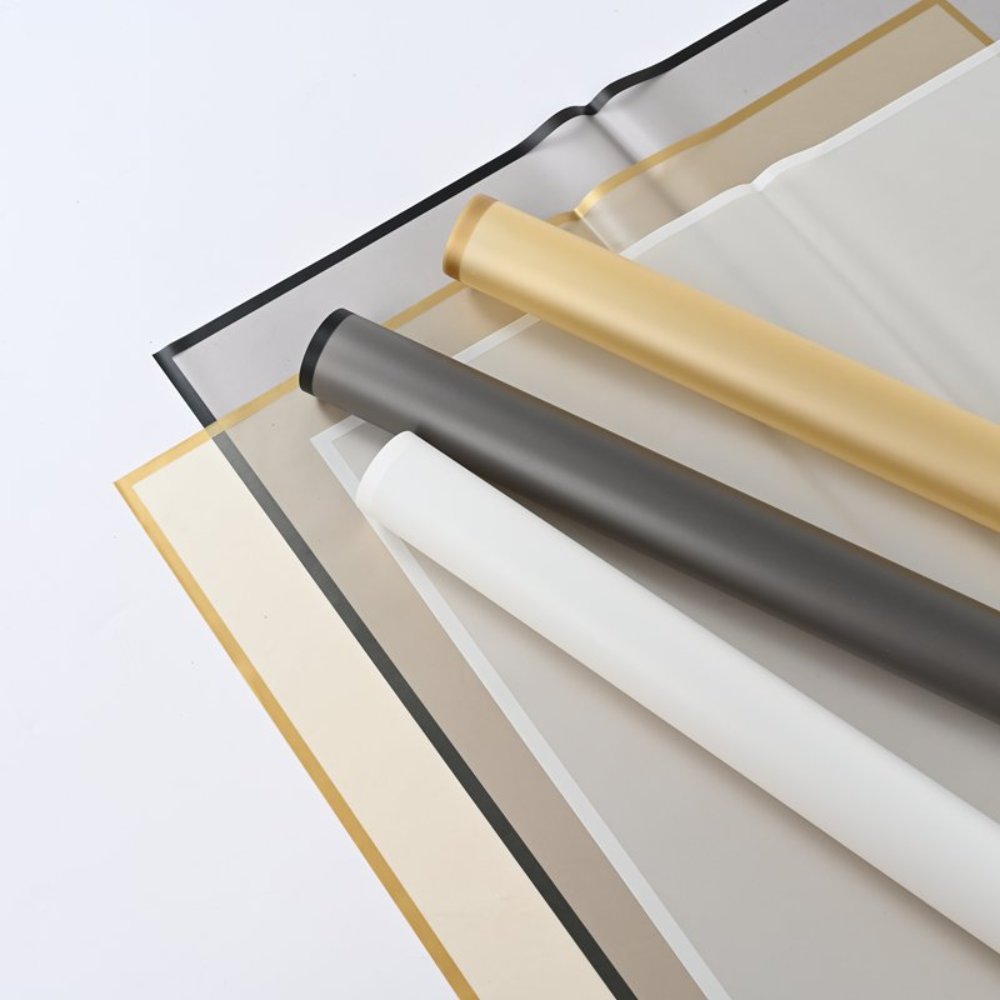
Official Magic Edge gallery appearance reference. Visible border lines help identify the design, but the photograph provides no approved widths, measured positions or transparency specification.
Begin with the actual Magic Edge product reference
The Magic Edge Matte Paper listing states Dimensions: 58 x 58 cm, Color: Pearlescent White and Material: BOPP. Its title describes translucent borders, and the gallery shows contrasting edge arrangements. Retain the product page and selected image together when requesting an offer.
For wholesale matte paper, two items with the same nominal sheet size can still require different visual references. Keep the Magic Edge border selection attached to its own supplier item rather than treating every 58 x 58 cm wrapping material as an interchangeable design.
Name the boundary the buyer means
The outside cut edge and the visible decorative line are different references. If the buyer asks about a border, clarify which one is meant. Use a marked image or drawing to show the area being discussed, and ask the supplier to return its corresponding description for the offered version.
A visible translucent band can also be discussed separately from the line around it. Do not assign a width or calculate an internal clear area from the photograph. The reviewed page gives the overall catalogue dimension without an approved border-position drawing.
Keep orientation visible in the reference
Curved sheets and overlapping arrangements can hide corners or make an edge appear wider in perspective. Ask which view and orientation the supplier uses for the design reference. Retain that orientation when comparing a sample or discussing a requested change.
If the buyer needs information about the reverse face, corner layout or all sides of the sheet, state that question explicitly. Do not infer that both faces carry the same design or that the same border treatment occurs on every edge from a partially visible display.
Another Magic Edge catalogue arrangement. Curvature, overlap and droplets are display details, not a measured border drawing or independently verified water-resistance test.
Build a border-reference schedule
The following fields help a buyer ask a specific visual-selection question. They organise the supplier response without inventing dimensions, tolerances or printing capabilities. Keep an unanswered field open until the applicable offer or reference is supplied.
Reference field
Question to resolve
Evidence to retain
Selected offer
Which Magic Edge item and appearance are discussed?
Product URL, image and supplier reference
Outer edge
Which boundary defines the overall sheet?
Identified outside edge on an applicable drawing
Decorative line
Which visible border line is selected?
Marked appearance reference and supplier response
Translucent region
Which area requires clarification?
Annotated region without an inferred transparency percentage
Orientation
Which face, corner and direction apply to the reference?
Supplier view or agreed orientation labels
Sample association
Which actual sample represents the design proposal?
Sample identity and offered-version association
Accepted revision
Which border proposal has the buyer selected?
Accepted response with earlier references retained
Separate visual selection from optical performance
The gallery can help identify the look being discussed. It does not independently quantify light transmission, haze or the visibility of a particular bouquet through the supplied material. Keep any required optical property as a separate question with its own supplier response and applicable evidence.
Likewise, the BOPP material field is catalogue wording for this listing. It does not supply a thickness, grade, water-resistance result or environmental certification. A buyer can select a border appearance while leaving those separate requirements unresolved.
A separate rolled presentation from the same gallery. It does not show every border boundary or establish roll supply, colour availability or a shared design specification.
Review an actual sample against the same reference
When a sample is received, associate it with the supplier item and selected annotated reference before reviewing appearance. Record visible differences using the same orientation labels. This article does not report a sample receipt, a measured border position or a passed inspection.
If the buyer needs a dimensional check, request the measurement basis and any applicable acceptance requirement rather than creating a tolerance from the image. Retain the actual observation separately from the catalogue statement and ask the supplier to clarify any difference.
Retain design changes as separate proposals
A request to change the border line, its placement or the surrounding appearance should remain separate from the original catalogue selection. Ask which new reference the supplier proposes and whether the current quotation covers it. A design request is not confirmation that a change is included or already produced.
Carry the accepted reference into the quotation and keep later revisions visible. This creates a clear visual-selection record while quantity units, packing, price and delivery terms receive their own supplier confirmations.
Separate the sheet edge, decorative line and translucent region.
Keep one identified orientation for the reference.
Do not calculate border widths or clear area from a display photograph.
Retain the accepted design and supplier response with revisions.
Frequently asked questions
Does 58 x 58 cm describe the usable translucent area?
The page gives an overall catalogue dimension. Ask which boundaries apply before treating it as a particular internal area.
Can a photograph establish border width?
It has no approved measurement reference. Request an applicable supplier drawing or measurement response.
Does the gallery confirm the same design on every face and edge?
A partial display does not establish that detail. Ask for the relevant face, corner or edge reference for the selected offer.
How should a proposed border change be recorded?
Keep the original and proposed versions separately, then retain the supplier response and the design the buyer selects.
Send the selected border references through Jiemi Packaging contact. Compare the product catalogue and related topics in the article archive.
#Magic Edge Paper#Border References#Wrapping Materials#Design Versions#B2B Purchasing